AT&T ActiveArmor®
- 4.2
- Rating
- 50.00M
- Installs
- Free
- Price

 Analysis by App-foxy
I installed AT&T ActiveArmor® expecting a straightforward security utility, and that is exactly how it feels in daily use: a tool-focused app aimed at reducing spam and scam interruptions on a mobile device. It is developed by AT&T Services, Inc., belongs to the Tools category, and is available free of charge for Everyone. The central appeal is not entertainment or customization; it is having a security layer that can sit alongside normal calling and messaging habits without demanding constant attention.
That simplicity is useful, but it also means the app deserves a more careful look than a quick “install and forget” recommendation. A security app can affect how calls are handled, what information is processed, and how much control a user keeps over filtering decisions. In my experience, ActiveArmor is most convincing when treated as a practical first line of defense rather than a complete replacement for sensible phone habits, device updates, and cautious handling of unexpected messages.
What using ActiveArmor feels like in everyday life
The app’s store summary describes a comprehensive mobile security service designed to help stop spam and scam activity. In practice, I would place it in the same general space as call-screening and mobile-protection tools, but its strongest identity is its connection to AT&T’s service environment. That can make it a natural choice for people who already use AT&T and want fewer separate security apps to manage.
You May Also Like

 Blood Strike: 2.5 Anniversary
Blood Strike’s Loadouts Turn Every Drop Into a Tactical Gamble
A close look at Blood Strike’s custom loadouts: how fast access to signature weapons reshapes its battle royale rhythm, rewards preparation, and narrows the gap between fights.

 Pandora - Music & Podcasts
Pandora’s Music Is Easy to Start, but Harder to Recover
Pandora’s strength is its low-effort path from a seed to a station. Its weak spot is how much confidence it asks you to place in connection, setup, and quiet recovery.

 8 Ball Pool
 Is Built on Rivalries, Rematches, and Routine
A close look at the rivalries, rematches, shared routines, and unanswered safety questions that turn a quick pool match into a persistent mobile community.

 Samsung Music
’s Quiet Strength Is Playing What You Already Own
Its reach comes less from spectacle than from dependable access to a personal library. That simplicity is both the app’s strongest retention engine and its ceiling.

 AccuWeather: Weather Radar
AccuWeather Review: A Quick, Clear Forecast for Everyday Decisions
For everyday plans, the best forecast is the one you can understand quickly. AccuWeather makes rain timing, radar, and local conditions easy to act on, with a few trade-offs.

 Hill Climb Racing
Why Hill Climb Racing Still Turns Crashes Into One More Run
A tiny car, a bumpy hill and one more upgrade: Hill Climb Racing keeps resurfacing because its simple chaos makes every near-miss feel personal.
More From Our News Desk



A realistic example is a busy weekday when several suspicious calls arrive while I am working. Instead of answering every unknown number just to discover a recorded sales pitch or a request for personal information, I can use a security-focused layer to help identify unwanted activity before it becomes a distraction. The benefit is not dramatic visual excitement. It is the quieter advantage of spending less time deciding whether an unfamiliar caller deserves my attention.
I also see value for someone helping a less technical family member. Older relatives and first-time smartphone users are often more vulnerable to urgent-sounding calls about accounts, deliveries, refunds, or supposed technical problems. ActiveArmor can be part of a broader routine: let the phone’s protection tools handle suspicious activity where possible, then teach the user never to share passwords, verification codes, bank details, or remote-access control because a caller sounds convincing.
Still, I would not present it as an all-purpose shield. A scam can arrive through a trusted contact’s compromised account, a convincing website, or a message that does not look obviously suspicious. The app may reduce exposure to certain unwanted calls or scam attempts, but it cannot make judgment unnecessary. That distinction is important because the phrase “mobile security” can otherwise create more confidence than any single app should receive.
Trust starts with knowing what the app is for
One positive sign is that the product’s purpose is easy to understand. AT&T ActiveArmor® is not pretending to be a password manager, a general privacy suite, or a replacement for the phone’s entire security model. Its public positioning centers on spam and scam protection. That narrower purpose makes it easier for me to judge whether the app is earning its place on the device.
The app has built substantial visibility in the mobile market, with an average rating of 4.4 from around 85 thousand ratings and more than 10 million installs. Those figures suggest that many people find the service useful enough to keep available, although popularity alone does not prove that every alert is accurate or that every user will like the experience.
The release history also matters when deciding whether an app feels maintained. ActiveArmor first appeared on July 25, 2017, and the current version is 7.6.1-b8be8cb. I would still judge the app by how clearly it explains current behavior on my device, but a product with that much time in the market is easier to place in context than a brand-new security tool with no established usage history.
Permissions and data-sensitive moments deserve attention
With any security application, I pay attention to the moments when it asks to interact with calls, contacts, notifications, or other phone activity. Those requests can be reasonable for a protection service, but “reasonable” does not mean “automatically harmless.” Before completing setup, I would read each permission screen rather than tapping through it, especially on a personal phone used for work, banking, or private conversations.
The important question is not simply whether ActiveArmor asks for access. It is whether I understand why each access is needed and what changes if I decline it. A protection tool that cannot inspect enough activity may offer less coverage, while granting every request without reading the explanation gives away control unnecessarily. I prefer a deliberate middle ground: enable what matches the feature I want, then revisit the decision if the app’s behavior feels broader than expected.
There is a practical privacy lesson here. A call-protection service has to work around communication activity in some way, so I would avoid treating it like a passive wallpaper app. I would review the app’s privacy explanations and the choices shown during setup, then check the operating system’s permission manager afterward. If a permission is not essential to the way I intend to use the app, I would leave it disabled until I have a clear reason to enable it.
I would apply the same caution to notifications. Security alerts can be useful when they explain why an interaction was flagged, but too many warnings can train people to dismiss everything. I would keep alerts that help me make a decision and reduce interruptions that merely repeat information. This is one of the less obvious trade-offs: a protection app is only helpful if its warnings remain noticeable without becoming background noise.
Visible choices matter more than reassuring language
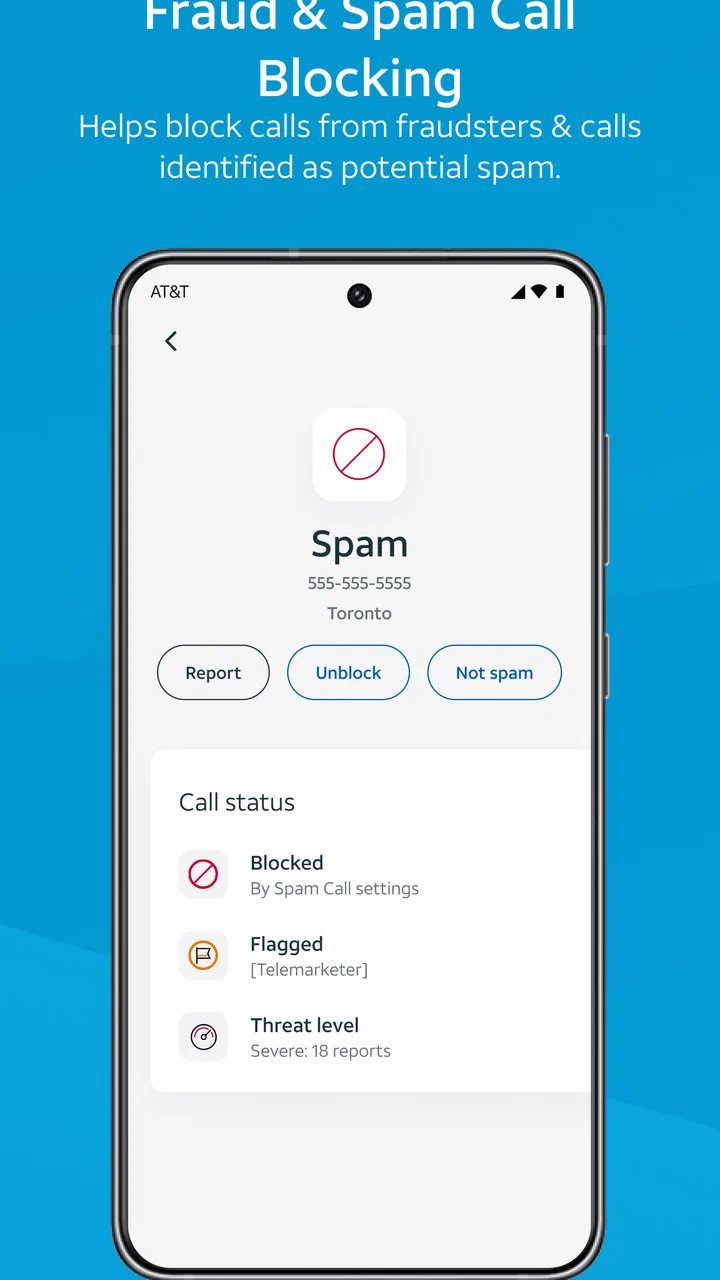
When I evaluate ActiveArmor, I look for understandable controls rather than relying on broad claims about being comprehensive. The most useful controls are the ones that let me see what the service is doing, adjust how aggressively it handles suspicious activity, and recover when a legitimate caller is affected. If a call from a doctor, school, delivery service, or local business is incorrectly treated as unwanted, an easy correction path matters as much as the original detection.
This is also where I separate a useful filter from an overconfident one. Blocking every unfamiliar number would reduce interruptions, but it could also hide an important call. I would rather use a setting that helps identify risk while preserving a way to review questionable activity. For people who receive calls from new clients, patients, recruiters, couriers, or public services, that balance is especially important.
My advice is to spend a few minutes testing the app’s visible options after installation instead of assuming the default behavior is ideal. Look for ways to review blocked or flagged activity, alter notifications, and report a mistake. Then make one small change at a time. If the phone suddenly becomes too quiet or too noisy, I can identify which setting caused it instead of losing track of several changes at once.
Account controls are another part of trust. Because the app comes from AT&T Services, Inc., I would use the account identity and sign-in flow carefully, particularly on a shared device. I would avoid saving credentials in a browser or password field that I do not recognize, and I would sign out of account areas on phones used by other people. The app can be convenient without becoming a reason to relax normal account hygiene.
Where the free experience fits, and where costs may appear
The app is free to download and use in its basic store presentation, which lowers the barrier for someone who wants to try a mobile security tool before committing money. That makes sense for a household deciding whether spam protection is worth adding to its routine. At the same time, the app includes in-app purchases ranging from $3.99 to $7.00 per item, so I would inspect any upgrade screen carefully before confirming anything.
That pricing detail changes how I recommend it. I would begin with the no-cost experience, learn which protections are available, and decide whether the app solves a real problem on my phone. I would not purchase an add-on simply because a warning sounds urgent or because a premium label implies that the free version is unsafe. A security decision should be based on a clearly explained feature I actually need.
For someone already paying for another mobile security subscription, ActiveArmor may create overlap. Running several tools that monitor similar activity can make alerts harder to understand and may lead to duplicated settings. I would compare the actual protections, notification behavior, and account arrangements before keeping both. If the existing service already handles unwanted calls well, ActiveArmor may not add enough value to justify another layer of management.
How it compares with familiar alternatives
The usual alternative is to rely on the phone’s built-in caller identification, spam controls, and blocking tools. That approach is appealing because it keeps everything in one operating system and may involve fewer account decisions. It is also a good fit for someone who receives very few suspicious calls and prefers the smallest possible software footprint.
ActiveArmor makes more sense when I want a dedicated AT&T-oriented security experience rather than occasional manual blocking. A specialized app can put more attention on spam and scam handling, while the built-in tools often remain general-purpose controls. The trade-off is that a separate app introduces another interface, another set of permissions to review, and possibly another place to manage settings.
Third-party security suites are the other common comparison. They may bundle additional features beyond call protection, which can be useful if I want one subscription covering several security tasks. However, broader suites can also feel heavier and more complicated. ActiveArmor is the better match for a user whose immediate concern is unwanted calls and scam activity, while a person seeking a wider privacy or device-maintenance package should compare those broader products directly instead of assuming this app covers every need.
Small workflows that make the app more useful
My first practical workflow would be a weekly review rather than constant monitoring. I would check whether legitimate numbers were flagged, whether unwanted activity was handled as expected, and whether notifications still feel helpful. This takes less effort than reacting to every alert and helps me catch a problem before I miss an important call.
A second workflow is to pair the app with a personal “pause rule.” If a caller claims that money, access, or account security is at risk, I would end the call and contact the organization through a number or app I already trust. Even excellent filtering cannot reliably protect someone who voluntarily hands information to a persuasive scammer. The app reduces friction; the pause rule protects against the human part of the attack.
A third useful habit is to treat false positives as feedback, not as proof that the whole service is bad. A legitimate number being flagged is frustrating, but it gives me a reason to inspect the available controls and adjust my approach. Conversely, one missed scam call does not mean the app is useless. Security tools operate under uncertainty, and my confidence should come from combining their assistance with my own verification habits.
I would also avoid installing the app immediately before an important period when I expect unfamiliar calls, such as moving house, starting a new job, or waiting for a medical appointment. Setup is a better experience when I have time to understand the controls and test how alerts appear. That preparation reduces the chance that I will disable everything in a hurry after an unexpected call is handled differently than I expected.
Who should use it, and who should skip it
I think ActiveArmor is a sensible trial for AT&T customers who are tired of spam calls and want a dedicated tool without an upfront purchase. It is also worth considering for families who need a simple conversation starter about scam awareness. The Everyone age rating makes it broadly approachable, although younger or less experienced users still benefit from supervision and clear rules about sharing information.
I would be more cautious recommending it to someone who rarely receives calls, dislikes account-linked services, or already has a trusted security setup with no noticeable gaps. That person may gain little while taking on another app to configure. I would also hesitate if the user needs complete control over every unknown caller and cannot tolerate the possibility of a legitimate call being filtered or labeled incorrectly.
People with older phones should check compatibility before planning around it. The minimum operating system is Android or iOS version 10, so devices below that requirement are not a fit. For supported phones, I would still watch battery behavior, notification volume, and call handling during the first few days rather than assuming that every device will feel identical.
My cautious verdict after using it
The strongest reason to choose ActiveArmor is practical control over unwanted mobile interruptions, not a promise of perfect protection. I like that its purpose is focused, its free entry point makes testing easy, and its established presence gives it a clearer track record than an unknown security utility. The 4.4 average and broad install base support the idea that it works well for many people, but they do not remove the need to inspect permissions and settings personally.
My recommendation is to install it when spam and scam calls are a recurring problem, then take ownership of the setup. Read the permission explanations, review account and notification choices, check how questionable calls are handled, and keep a reliable way to verify important callers independently. If the app’s alerts become distracting or its filtering conflicts with the calls I need, I would adjust it or return to the phone’s built-in controls rather than accepting the inconvenience blindly.
In the end, I see AT&T ActiveArmor® as a useful defensive layer for the right user: focused, accessible, and worth trying when unwanted calls are stealing time. I would not use it as a substitute for careful browsing, strong account practices, or skepticism toward urgent requests. Used with those habits, it can make the phone feel calmer without asking me to surrender all decision-making to an automated filter.
FAQs for AT&T ActiveArmor®
01What is AT&T ActiveArmor® and how does it work?
AT&T ActiveArmor® is a security application designed to protect your mobile device from threats such as malware, phishing, and spam calls. It works by using advanced network intelligence and machine learning algorithms to detect and block suspicious activity in real-time, providing a safer browsing and calling experience.
02Is AT&T ActiveArmor® free to use, or are there any costs involved?
AT&T ActiveArmor® offers both free and premium versions. The free version includes basic security features like spam call blocking and network threat detection. The premium version, which requires a subscription, provides enhanced features such as identity monitoring and public Wi-Fi protection. Prices for the premium version can vary, so check AT&T's website for the latest details.
03What devices and operating systems are compatible with AT&T ActiveArmor®?
AT&T ActiveArmor® is compatible with a wide range of smartphones and tablets running on both Android and iOS operating systems. However, it is always recommended to check the app's compatibility with your specific device model and OS version on the app's download page before installation.
04How does AT&T ActiveArmor® protect against phishing and malware threats?
AT&T ActiveArmor® uses advanced security protocols to monitor and block phishing attempts and malware. It scans web pages and downloaded files for malicious content and alerts users before any potential threats can cause harm. This proactive approach helps to safeguard personal information and maintain device integrity.
05Can AT&T ActiveArmor® improve call security and block spam calls effectively?
Yes, AT&T ActiveArmor® is designed to enhance call security by identifying and blocking spam and fraudulent calls. The app uses a constantly updated database of known threat numbers and employs AI-driven technology to detect and prevent unwanted calls, ensuring a more secure and hassle-free calling experience.
Pros
- Comprehensive network security features.
- Easy-to-use interface for quick setup.
- Real-time threat alerts and notifications.
- Customizable security settings.
- No extra charge for existing customers.
Cons
- Limited features for non-AT&T users.
- Occasional false threat alerts reported.
- May impact battery life slightly.
- Requires constant internet connection.
- Some features need further refinement.

AT&T ActiveArmor®
Gallery